
How people opt in to Perimeter Alerts texts
Effective October 9, 2026
Perimeter Alerts texts go to staff of a Perimeter customer (a school, business or other organization) who receive its security alerts. Each person opts in themselves, on our public contact form at https://geoperimeter.com/contact: they enter their own mobile number and tick a checkbox that is not ticked by default. The checkbox reads: "I agree to receive Perimeter Alerts security text messages from Geogentia Inc DBA Perimeter at the mobile number above. Message frequency varies. Message and data rates may apply. Reply STOP to opt out or HELP for help." Agreeing to texts is optional: the form can be sent without it, it is not a condition of buying or using anything, and it is separate from the checkbox that accepts the Privacy Policy and Terms of Service. After the person has opted in, their organization's administrator turns on alerts for that number in the Perimeter console and confirms there that the person has agreed. We then send one confirmation text that names the program and says how to get help and how to opt out. The person can reply STOP at any time to opt out, or HELP for help.
The opt-in, step by step
- The person opts in on our public contact form. At https://geoperimeter.com/contact the staff member who will receive alerts enters their own mobile number and ticks this checkbox, which is not ticked by default:
Ticking it is optional. The form can be sent without it, agreeing to texts is not a condition of buying or using anything, and accepting the Privacy Policy and Terms of Service is a separate checkbox. Next to the checkbox the form says that the texts are security alerts only, never marketing, and that mobile numbers and consent are never shared with third parties or affiliates for marketing or promotional purposes, and it links to the SMS Terms. When the form is sent we keep the wording the person agreed to, their mobile number, and the date, time and IP address, as the record of their consent.
"I agree to receive Perimeter Alerts security text messages from Geogentia Inc DBA Perimeter at the mobile number above. Message frequency varies. Message and data rates may apply. Reply STOP to opt out or HELP for help."
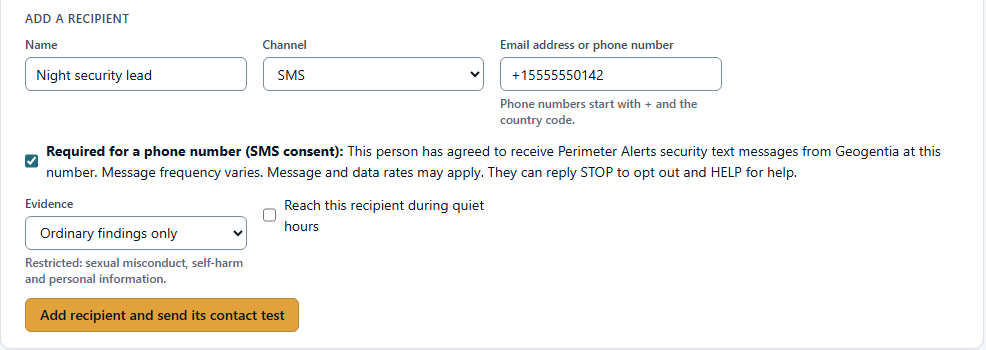
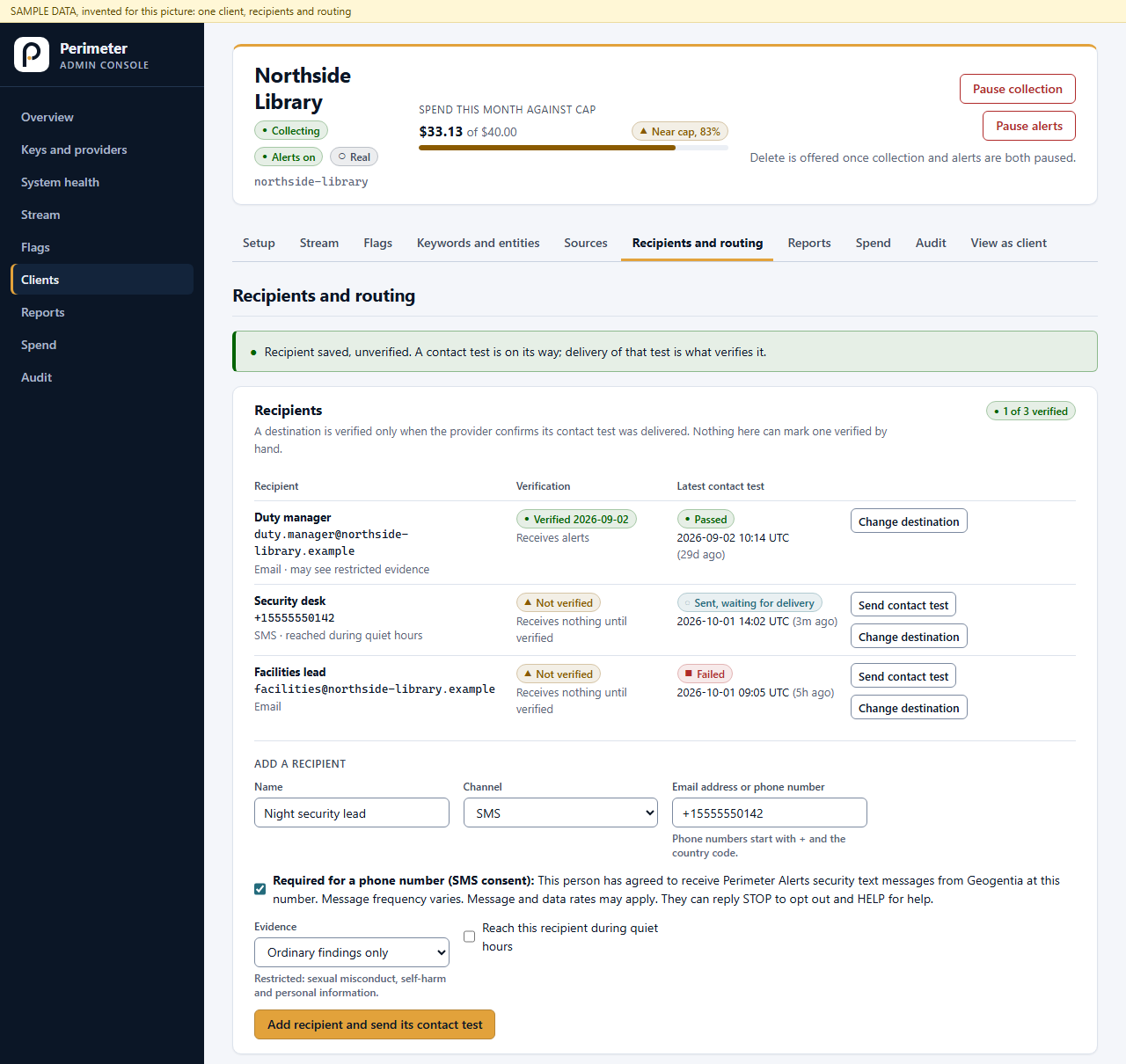
- Their organization's administrator turns on alerts for that number. In the Perimeter console, which requires a login, under Recipients and routing, the administrator adds the person with the channel set to SMS and their mobile number. The number cannot be saved unless the administrator ticks this statement:
The server refuses a mobile number without it, and records who confirmed it and when. The administrator does not agree on anyone's behalf: this step turns on alerts for a person who has already opted in on the form.
"This person has agreed to receive Perimeter Alerts security text messages from Geogentia at this number. Message frequency varies. Message and data rates may apply. They can reply STOP to opt out and HELP for help."
- We send one confirmation text at once. It names the program and explains how to get help and how to opt out:
Alerts are sent only after that number is confirmed reachable.
Geogentia Perimeter Alerts: this number will get security alerts. Msg frequency varies. Msg & data rates may apply. Reply HELP for help, STOP to opt out.
- The person can opt out at any time by replying STOP, or get help by replying HELP. See the SMS Terms.
Screenshots of the administrator's step
The first step is public: open the contact form to see it. The second step is behind the console's login, so it is shown here.
More
SMS Terms · Privacy Policy · Terms of Service · Questions: info@geogentia.com